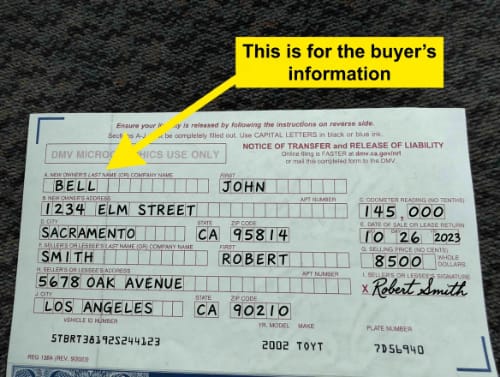

Hey, it’s Sonny. The REG 227 is the form the DMV hands you when the title is gone, and it’s also the form people get bounced on more than any other. A signature that doesn’t match, a notary nobody mentioned, a box left blank that shouldn’t be. I’ve been buying cars across Southern California for over 20 years, and I’ve filled out more of these than I can count, so I know exactly where they go sideways. Follow this and you make one trip, not two. And if you’d rather just talk it through first, call me at (714) 900-3723, I’m happy to help whether you sell to me or not.

See a REG 227 filled out the right way
Some people learn by reading. Most learn by looking. So before we walk the form line by line, here’s the shortcut: my free REG 227 Examples Pack, the actual DMV form filled out three different ways, a lost-title replacement, a no-title sale, and an old-lien release with the notary stamp, every trap highlighted right where it happens. Click the preview below and it’s yours, no email, no signup, just the PDF. Then print the official form and fill along.
What the REG 227 is and when you need it
The REG 227 is California’s Application for Replacement or Transfer of Title, and it does two different jobs. Get the form free from the DMV and print it, because this one gets signed in ink.
Job one: your title is lost, stolen, damaged, or never showed up, and you just need a replacement. For that, you only fill out Sections 1 through 3. That’s it, three sections and you’re done.
Job two: you’re selling or transferring the car and the title’s gone, so the transfer and the replacement happen on the same form. For that, the seller completes Sections 1 through 4, and the buyer completes Sections 6 and 7 on the back.
Now the warning printed right at the top of the form, because it stops some people cold: this form cannot release a lien on a vehicle with an Electronic Lien Title, an ELT. If your car was financed in roughly the last decade, the bank probably holds the title electronically, and the lien release has to go through a different path. More on that in Section 5 below, because it’s the single biggest surprise on this form.
Before you start
Get these in front of you so you’re not hunting mid-form:
- Your license plate number and the VIN
- The bank or finance company’s name and address, if there’s ever been a loan on the car
- Your California driver’s license or ID
- A printer and a pen
And know the in-person rule before you plan on mailing anything: if your address is different from what the DMV has on file, you have to file this in person, with proof of ownership and your ID. Same thing if the title was already replaced within the last 90 days, that one also needs a CHP verification of the vehicle before the DMV will issue another.
Page 1: the owner’s side
The top boxes
Plate or CF number, the VIN, and the year and make. Check the VIN against your registration card character by character. One wrong digit and the whole application is invalid, and the DMV won’t catch it for you until you’re at the counter.
Section 1: Registered owner of record
Your name exactly as it appears on the title or registration. Not the nickname, not the shortened version, the name the DMV has. Then your license number, address, and the county where the car’s garaged. If there’s a co-owner on the registration, their name and license number go here too.
Section 2: Legal owner of record
This is the lienholder, the bank or finance company, not you. Don’t re-enter your own name here, that’s the mistake this section’s instructions literally warn against. If the car’s paid off and no lienholder shows on the DMV record, this section stays empty.
One real-world snag worth knowing: if the bank on your old title merged, got bought, or went out of business years ago, you’re not stuck. The DMV keeps a listing that traces lenders through name changes and closures, so you can find who actually holds the lien now.
Section 3: The missing title statement
This is the heart of the duplicate. First, the warning printed on the form itself: issuing a replacement cancels the original. So if the old title turns up in a drawer next year, it’s just paper, it can’t be used for anything.
Check the box that matches your situation:
- Lost. You had it, it’s gone. The most common one.
- Stolen. Somebody took it.
- Illegible or mutilated. Water, rips, faded ink. Attach the old title, the DMV wants to see it even in bad shape.
- Not received from prior owner. You bought the car and the seller never handed the title over. This box is the quiet hero of the whole form, and most guides never mention it. If you’re sitting on a car you bought with a handshake and a bill of sale, this is your path to a title in your name.
- Not received from DMV. It was supposed to come in the mail and didn’t. Give it 30 days from the issue date before filing.
Then sign and date. You’re signing under penalty of perjury, and you’re agreeing to hold the DMV harmless if the replacement causes a problem down the line. If all you needed was a replacement title, you’re done with the form right here. Skip to fees and submitting.
Section 4: The seller’s release
Only touch this if you’re transferring the car. This is where you, the current owner, release your interest. And here’s the rule that sends people back for a second trip: if co-owners are joined by AND on the DMV record, shown by a slash between the names, every single owner has to sign. One missing co-owner signature is one more DMV visit.
Selling as a business? The signature line needs the company name plus an authorized person’s name, in the format the form spells out: “ABC CO., by JOHN SMITH.”
Section 5: The lienholder’s release, and the notary
If a bank or finance company shows as the legal owner, they release their interest here, and this section must be notarized. Not optional, not sometimes. If there’s a lienholder on record, no notary means rejection. If the registration shows no legal owner at all, you skip this section entirely and no notarization is needed anywhere on the form.
Two more limits printed right in this section that almost nobody reads. First, the ELT rule from the top of the form applies here, an electronic lien can’t be released on this paper at all. Second, even for paper titles, if the vehicle is two model years old or newer, the bank can’t just sign this section. They have to apply for the replacement title themselves first, then release their interest on the actual title. So if you’ve got a newer financed car and a lost title, the bank drives this process, not you. Call them first and save yourself the trip.
Page 2: the buyer’s side
Section 6: The new owner
The back of the form belongs to whoever’s receiving the car, and the clock is printed right at the top: complete the transfer within 10 days of taking possession.
The buyer enters the date acquired and the purchase price, or checks Gift or Trade and writes the market value instead. Then names exactly as they appear on the license, address, county.
Family transfers get a special note here, printed on the form: if the car came from a parent, child, grandparent, grandchild, spouse, domestic partner, or a sibling, a REG 256 Statement of Facts rides along to claim the use-tax exemption. And the sibling rule really is as narrow as it sounds: siblings only qualify while they’re minors. That’s not my interpretation, it’s printed on the form itself.
New co-owners also pick their AND or OR here, and it matters for years. AND means every future sale needs both signatures. OR means either owner can act alone. Choose it on purpose, because the form defaults you into AND if you leave it unclear.
Every new owner signs. The signature block also has you consenting to receive legal service at the mailing address you listed, so make sure that address is real and current.
Section 7: The new lienholder
If the buyer’s financing the purchase, the new bank’s info goes here, and for an electronic lienholder the ELT number has to match their listing exactly. If there’s no loan, don’t leave this blank. Write “None.” A blank box and “None” are not the same thing to the DMV, and blank is a rejection.
Section 8: The dealer’s release
This one’s only for licensed dealers moving a vehicle they acquired. Private party sale? Skip it entirely.
Fees and submitting
Fees change, so check the DMV’s current fee schedule before you mail anything, don’t trust last year’s number. You can submit three ways: in person at a DMV office (make an appointment, walk-ins eat hours), by mail to the address on the form, or through a licensed DMV service provider for an extra fee, which is honestly the easiest route if you’ve got a good one. Once processed, the new title usually arrives by mail within 15 to 30 days.
The mistakes that get this form rejected
I see the same handful over and over, so run this list before you submit:
- Your signature doesn’t match Section 1. Registration says Michael, you signed Mike, rejected.
- A co-owner joined by AND didn’t sign the release.
- Section 5 has a lienholder but no notary stamp.
- You checked mutilated or illegible and didn’t attach the old title.
- Section 7 is blank instead of saying “None.”
- One wrong VIN digit.
Every one of those is a full second trip. Five minutes of checking beats two hours of waiting.
And if seeing beats reading, download my free REG 227 Examples Pack: the actual DMV form filled out three ways, a lost-title duplicate, a no-title sale, and an old-lien release with the notary stamp, every trap highlighted right on the page.
Don’t forget the release of liability
If you’re the seller, file the release of liability with the DMV the same day the car changes hands. My REG 138 guide walks through it, and it’s the thing that protects you from the buyer’s parking tickets, toll violations, and worse if they never register the car. I’ve seen sellers skip this and pay for it months later. Don’t.
Or skip every bit of this
Look, if you’re filling out a REG 227 because you’re trying to sell a car without a title, there’s a shorter road: sell it to me. I bring the right paperwork, I handle the duplicate and the transfer myself, and you get paid on the spot, no DMV trip, no notary hunt, no 15 to 30 day wait. I work seven days a week across Southern California and I come to you.
REG 227 questions I hear every week
Do I need this form to sell my car without a title?
Selling private party, yes, this is the form that makes it possible. Selling to me, no, I handle it.
Can I file the REG 227 online?
No. Print it, sign it in ink, and submit in person, by mail, or through a licensed DMV service provider.
There’s still a loan on the car. What do I do?
The bank has to release its interest, and how depends on the title. Paper title: they sign Section 5 and it gets notarized. Electronic title (ELT): this form can’t touch it, the release goes through the bank’s electronic process. And a car two model years old or newer with a paper lien means the bank pulls the replacement first, then releases on the real title.
What happens if I find the old title later?
Nothing good, and nothing bad. It’s void the moment the replacement issues. Destroy it or send it back to the DMV so it never confuses a future sale.
How long until the new title shows up?
Usually 15 to 30 days by mail once the DMV processes the application.
The car has a salvage title. Same process?
No, salvage is its own animal, inspections, smog, VIN verification, the works. My salvage title guide covers that road separately.
What it comes down to
The REG 227 is really two forms sharing a page: a three-section replacement when the title’s just gone, and a full seller-and-buyer transfer when the car’s changing hands without one. Know which job is yours, watch the notary and the ELT rule, and check the signature list twice. That’s the whole game.
And if the missing title is the only thing standing between you and being done with the car, that’s my specialty. Reach the Cypress office at (714) 900-3723 or Van Nuys at (818) 405-8808, seven days a week, 8 AM to 8 PM. I answer personally. I’m not a corporate robot. I’ll give you a fair offer or point you in the right direction, whichever the facts call for.